Magic Hour is the best AI image to video tool of 2026. I spent three weeks running the same set of product photos, portraits, and illustrations through ten platforms, and Magic Hour was the only one that let me compare several different video models on the same image without opening a second browser tab or a second subscription.
Turning a still photo into a moving clip is no longer a novelty. It has become a standard part of how small teams produce ads, product listings, and social content without a camera crew. The gap between the ten tools on this list is not whether they can animate a photo. Almost all of them can. The real gap is in how much control you get over that motion, how the pricing actually works once you move past the free tier, and whether the platform locks you into one company’s video model or gives you room to switch.
As of September 2026, this is where the category stands, based on hands-on testing rather than marketing copy.
Best Ai Image To Video Tools At A Glance
| Tool | Best for | Access model | Free plan | Starting price |
| Magic Hour | Multiple frontier video models in one subscription | Web, mobile | Yes, no signup required | $12/month (billed yearly) |
| Higgsfield AI | Camera-controlled cinematic shots | Web | Limited, watermarked | $9/month |
| LTX Studio | Full production pipeline, not just single clips | Web | Yes, one-time credits | $15/month |
| Krea AI | Real-time canvas across image, video, and 3D | Web | Yes, 100 units/day | $9/month |
| Leonardo AI (Motion) | Creators already using Leonardo for images | Web | Yes | $0 to start, video needs a paid tier |
| Magnific (formerly Freepik) | Teams that also need a stock library | Web | Limited | $14.50/month (billed yearly) |
| Wan (Alibaba) | Developers building on a low-cost API | API only | Pay-per-generation | Around $0.07 to $0.25 per clip |
| CapCut | Creators who want generation and editing in one app | Web, desktop, mobile | Yes, limited credits | $9.99/month (Standard) |
| ImagineArt | Budget-friendly multi-modal generation | Web, mobile | Yes, 100 daily credits | $9/month |
| OpenArt | Character-consistent workflows across image, video, and audio | Web | Yes | $7/month (billed yearly) |
Pricing checked against each provider’s official page in September 2026. Credit systems change often, so confirm the live number before subscribing.
1. Magic Hour: The Most Flexible Image-To-Video Platform Available
Magic Hour is a browser-based creation platform built around a simple idea: instead of picking one video model and living with its limits, you get access to several, including Kling, Veo, Sora, and Seedance, inside one account. Upload a photo once, then choose which model to animate it with, based on the look you are going for.
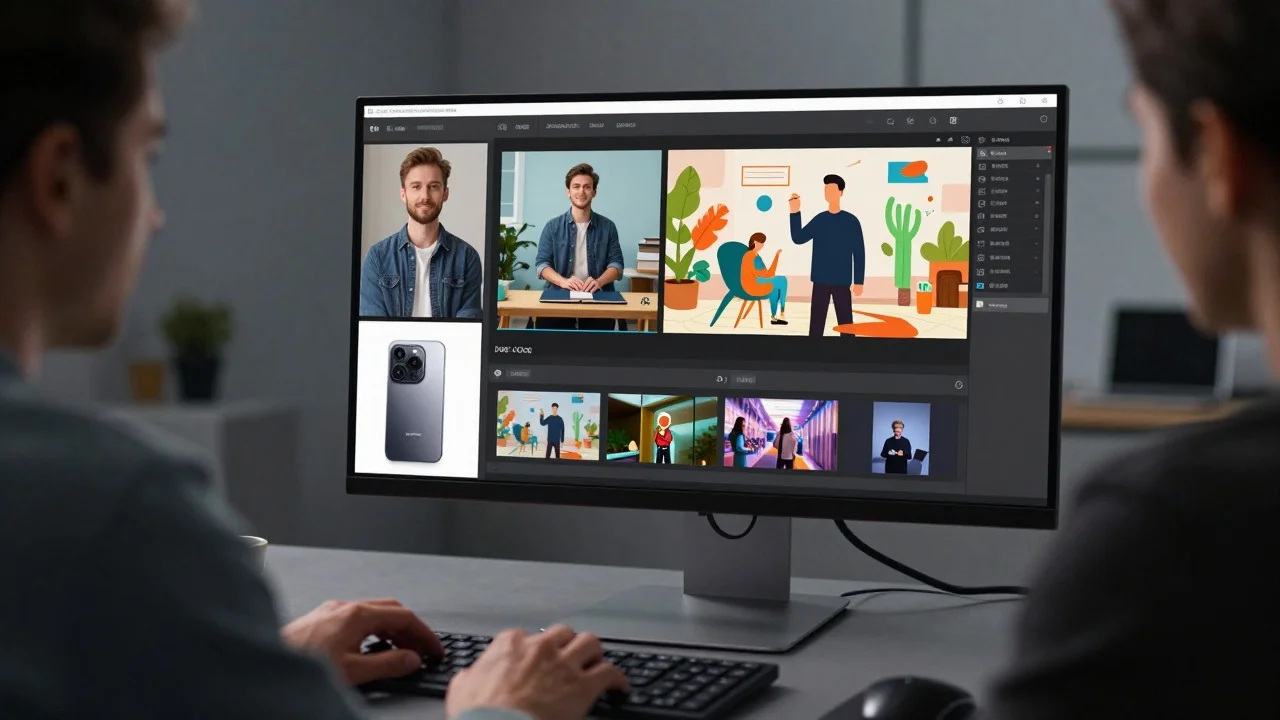
The workflow around the generation is what made the difference in my testing. After generating a clip, I could send it straight into an upscale pass and then into Magic Hour’s editor, without downloading the file and re-uploading it somewhere else. That one-click chain from photo to finished export is a real time saver when you are producing more than a handful of clips a week.
For the Magic Hour image to video tool specifically, I tested a product photo, a portrait, and a hand-illustrated character across three different underlying models, all from the same uploaded image. None of the other platforms on this list let me run that kind of side-by-side comparison without paying for three separate accounts.
Pros:
- No signup required to generate your first clips, and credits never expire once you create an account
- Access to Kling, Veo, Sora, and Seedance models in one subscription instead of several
- One-click workflows chain generation, upscaling, and editing into a single pass
- Weekly feature releases keep the model lineup current rather than frozen at launch
- Parallel generations with no concurrency cap on paid plans
- Founder-level support responses reported by users across Product Hunt and social platforms
Cons:
- The free tier’s daily generations are capped, so serious testing still needs a paid plan
- New users may need a short orientation to learn which model suits which type of photo
- Premium models like Sora and Veo draw down credits faster than the base tier, so budget planning matters
If the goal is to keep up with whichever video model happens to be strongest this month instead of betting on one company’s roadmap, this is the platform built for that. It is also the only tool on this list where I never once hit a wall trying to compare models against each other.
Pricing: Magic Hour offers a Free plan with no signup and no credit card required. The Creator plan is $19 per month, or $12 per month billed annually, and includes watermark-free exports, commercial use, and full API access. Pro is $39 per month for higher resolution exports and more concurrent generations. Business runs $99 per month for teams and high-volume production, with 4K exports and unlimited concurrent generations. All paid plans include full API parity, so anything available in the browser is available programmatically too.
2. Higgsfield Ai: Camera-Controlled Cinematic Shots
Higgsfield built its reputation on giving creators real camera language, pans, dolly moves, and tracking shots, described directly in a prompt, along with a large library of purpose-built tools for things like face swap and product placement.
Pros:
- Strong camera control presets aimed at cinematic, not just generic, motion
- Aggregates 15 or more third-party video models under one account
- A large library of purpose-built creative apps beyond plain image-to-video
Cons:
- Pricing has been restructured multiple times in 2026, and independent sources report meaningfully different entry prices for the same plan in the same month
- Credits do not roll over, and premium models can consume a large share of a monthly allowance in just a few generations
- The free tier is limited enough that it functions mainly as a quality check rather than a usable plan
Higgsfield is worth testing specifically for shots that need a deliberate camera move rather than generic motion, though it pays to read the credit math closely before committing to a tier.
Pricing: Higgsfield’s published entry tier runs from roughly $9 to $19 per month depending on region and billing cycle, scaling up through mid tiers around $35 to $49 per month to a top individual tier in the $99 to $129 per month range. Because Higgsfield has changed its pricing structure more than once this year, confirm the live number on its pricing page before subscribing.
3. LTX Studio: A Full Production Pipeline, Not Just Single Clips
LTX Studio, built by Lightricks, treats image-to-video as one step inside a larger filmmaking pipeline that includes scripting, storyboarding, character consistency across shots, and a timeline editor. It is aimed at creators who need a connected sequence of shots, not just one clip.
Pros:
- Script-to-storyboard tools carry consistent characters and settings across multiple generated shots
- Access to third-party models like Veo and Kling alongside its own LTX-2 model
- Output resolution reaches 4K at up to 50 frames per second on higher tiers
Cons:
- The free plan is personal use only, with one-time credits that do not renew
- Commercial usage rights only unlock at the Standard tier and above, well past the entry price
- The interface has a real learning curve compared to a single-prompt tool
LTX Studio makes the most sense for a short film, an ad campaign, or any project built from multiple connected shots rather than a single standalone clip.
Pricing: Free includes 800 one-time credits for personal use. Lite is $15 per month, or $12 billed annually, also personal use only. Standard, which unlocks commercial rights, is $35 per month, or $28 annually. Pro runs $125 per month, or $100 annually, with expanded collaboration features.
4. Krea AI: a real-time canvas across image, video, and 3D
Krea puts more than 150 models, spanning image, video, 3D, and lip sync, behind one real-time canvas where changes to a prompt update the preview as you type. It is less a single image-to-video tool than a broad creative workspace that happens to include strong video generation.
Pros:
- Real-time preview makes prompt iteration faster than tools with a generate-and-wait workflow
- Commercial usage rights available from the entry paid tier
- Wide model selection, including Seedance and other video models, inside one subscription
Cons:
- Video generation specifically only unlocks at the Pro tier, not the entry Basic plan
- The unit-based credit system takes some getting used to before you can estimate real cost per video
- The free tier’s daily units do not cover meaningful video testing
Krea is a strong fit for a creator or small studio that wants to compare many models across several media types inside one interface, rather than a tool built purely around image-to-video.
Pricing: Free gives 100 compute units per day with limited model access. Basic is $9 per month and adds a commercial license, though video access stays limited. Pro, where full video model access opens up, is $35 per month. Max is $70 per month for heavier daily use. Business runs $200 per month for teams.
5. Leonardo AI (Motion): built for creators already inside Leonardo
Leonardo AI is best known for image generation, and its Motion feature extends that into image-to-video using its own Motion 1.0 and 2.0 models. For creators who already generate images in Leonardo, animating the result is a natural next step rather than a separate tool.
Pros:
- Unlimited relaxed video generation on first-party Motion models at the top individual tier
- Tight integration with Leonardo’s existing image generation and custom model training
- Straightforward token system that pools across a team on business plans
Cons:
- Motion output quality trails dedicated video specialists like Kling or Veo on complex scenes
- Third-party premium video models, when available, consume tokens fast enough to require regular top-ups
- Free tier tokens are usable for images but do not stretch far for video testing
Leonardo Motion is worth using specifically if you are already generating images in Leonardo and want to animate the result without leaving the platform, rather than as a starting point on its own.
Pricing: Free starts at $0 with limited daily tokens. Paid individual plans run up to $60 per month for the top tier, which includes unlimited relaxed generation on Leonardo’s own Motion models. Team plans are seat-based with a shared token pool.
6. Magnific (formerly Freepik): A Good Fit For Teams That Also Need Stock Assets
Freepik rebranded to Magnific in 2026, folding its large stock library together with AI image, video, and audio generation under one account. For a marketing team that already licenses stock photos and templates, adding AI video generation to the same subscription cuts down on tool sprawl.
Pros:
- Over 250 million stock assets available alongside AI generation in the same account
- Access to multiple third-party video models, including Kling and Veo, through one subscription
- Annual credits do not reset monthly, giving more flexibility in how you spend them
Cons:
- Credits are annual rather than monthly, so heavy early use can leave little for the rest of the year
- Some premium models, like higher-tier image generators, consume credits fast enough to change the effective price per asset
- The rebrand from Freepik to Magnific has caused some confusion around which plan names are current
Magnific makes the most sense for a team that already relies on stock assets and wants AI video generation folded into the same bill rather than a separate line item.
Pricing: Premium is $14.50 per month billed annually, with 240,000 annual credits. Premium+ is $33.75 per month billed annually, with a larger credit pool and unlimited access to a set of image models. Pro is $210 per month billed annually. Business runs $55 per seat per month with a shared credit pool.
7. Wan (Alibaba): The Budget Pick For Developers
Wan, developed by Alibaba, is not a polished consumer app in the way most of this list is. It is a model family accessed through Alibaba Cloud’s Model Studio or third-party API platforms, which makes it the right choice specifically for developers building image-to-video into their own product rather than creators who want a ready-made interface.
Pros:
- Among the lowest per-generation cost of any model on this list, often a fraction of a cent per second
- Native audio synchronization on newer versions, without a separate audio generation step
- Apache 2.0 licensing on earlier versions gives real flexibility for self-hosting
Cons:
- No single official consumer subscription, so pricing and access depend on which API platform you use
- Output quality and camera control trail premium models like Veo or Sora on complex cinematic shots
- Requires comfort with an API key and a bit of code, not a drag-and-drop interface
Wan belongs on this list as the option for a developer who needs image-to-video at scale and does not need a polished front end to get there.
Pricing: Access runs through Alibaba Cloud or third-party API providers, at roughly $0.07 to $0.25 per generated clip depending on resolution and the specific model version. There is no fixed monthly consumer plan.
8. CapCut: Generation And Editing In One Familiar App
CapCut’s AI image and video generator tools sit inside the same app most people already use for editing, which means an image-to-video clip can move straight into captions, music, and export without switching platforms.
Pros:
- Generation and full video editing live in the same app, cutting out an export-and-reimport step
- Familiar interface for the large existing base of CapCut editors
- Available on web, desktop, and mobile with synced projects
Cons:
- CapCut’s Pro pricing roughly doubled during a 2026 restructure, and the current price varies noticeably by region and platform
- Heavier AI generation can burn through a monthly credit allowance faster than expected, requiring paid top-ups
- Image-to-video specifically is one feature among many, not the platform’s central focus
CapCut fits a creator who is already editing inside the app and wants to add AI-generated motion without adopting a second tool, more than someone shopping purely for the strongest video model.
Pricing: A free tier is available with limited AI credits. Standard runs around $9.99 per month. Pro is $19.99 per month, or $179.99 billed annually, with the full AI toolkit and larger cloud storage. Pricing varies by region and platform, so check the in-app price before subscribing.
9. ImagineArt: A Budget Multi-Modal Option
ImagineArt covers image, video, music, and voice generation under one relatively low-cost subscription, positioning itself as a cheaper alternative to platforms like Higgsfield for creators who do not need every premium model.
Pros:
- Entry pricing undercuts most of the platforms on this list for comparable credit allowances
- Covers four content types, image, video, music, and voice, in one account
- Free tier refreshes daily rather than offering a one-time allotment
Cons:
- Model selection is narrower than platforms that aggregate 15 or more third-party video engines
- Less independent, organic user discussion online than more established competitors, making outside validation harder to find
- AI Workflows and custom model training, while included, need some setup time to use well
ImagineArt is worth a look specifically when budget matters more than access to every frontier model, and four content types in one account beats maintaining four separate subscriptions.
Pricing: A free plan includes 100 credits per day with no watermark on exports. Paid plans start around $9 per month for 3,000 credits covering all four content types.
10. OpenArt: Strong Character Consistency Across Formats
OpenArt combines image, video, audio, and a dedicated character generation tool, aimed at creators who need the same character or object to stay recognizable across multiple generated clips.
Pros:
- Character generation is treated as its own top-level category, not an afterthought
- Covers image, video, and audio natively without routing to a separate app
- Among the lowest entry-tier prices of any multi-modal platform in this list
Cons:
- Business-tier pricing, while competitive, still requires a per-seat commitment for team features
- Smaller individual model catalog than aggregator platforms like Higgsfield or Krea
- Newer to the video space than some competitors, so track record is shorter
OpenArt is the pick when the priority is keeping a specific character or product consistent across a series of clips rather than generating one-off shots.
Pricing: Entry pricing starts around $7 per month billed annually. Business tier pricing starts at $17.50 per seat per month, still covering image, video, audio, and character workflows.
How I Chose These Tools?
I tested each platform on the same three source images: a product photo shot on a plain background, a portrait with visible hands, and a hand-drawn illustrated character, chosen because each type exposes different weaknesses. Product shots reveal how well a tool keeps material and lighting consistent. Portraits reveal identity drift and hand artifacts. Illustrations reveal whether a tool can animate a non-photorealistic style convincingly.
For every platform, I generated at least three clips per image rather than judging on a single result, since one generation can flatter or unfairly penalize a model. I judged four things across every test: how consistent the subject stayed across the clip, how natural the motion looked given the source image, how much creative control the interface actually offered over camera movement and pacing, and how the advertised price compared to what I spent once retries were factored in. Pricing was verified directly against each provider’s own page in September 2026, since credit systems and free-tier limits shift often enough that a quote from a few months back can already be wrong.
I skipped assigning numeric scores, since output quality is genuinely a matter of taste and a perfectly controlled benchmark across ten platforms with different credit economics is hard to make fair. Instead, I focused on being specific about what each tool actually does well and where it falls short, so the comparison stays useful even if your source images look nothing like mine.
The Market Landscape And Where It Is Headed
The image-to-video category has shifted meaningfully in 2026, and not always in predictable directions. OpenAI discontinued the consumer Sora app in April 2026 and has scheduled its developer API to stop accepting requests later this month, a reminder that even a heavily hyped launch can be short-lived in this space. Meanwhile, platforms built around aggregating several third-party models, Magic Hour, Higgsfield, Krea, and Magnific among them, have kept expanding rather than betting everything on one proprietary engine.
That consolidation trend is the clearest pattern across the ten tools on this list. Building and training a frontier video model is expensive enough that most platforms now find it more practical to license access to several models than to compete head-on with Google, Kuaishou, or ByteDance’s in-house research budgets. For a creator, that trend is generally good news. A platform offering three or four strong models tends to age better than one betting entirely on a single engine that might lose ground within a year.
The other shift worth watching is pricing volatility. Several tools on this list, Higgsfield in particular, restructured pricing more than once in 2026, and independent sources frequently disagree on current numbers for the same plan. That instability makes it worth checking a platform’s live pricing page immediately before subscribing, rather than trusting a screenshot from even a few months ago.
Final Takeaway
Magic Hour is the strongest overall pick for most creators because it removes the bet on any single video model and lets you compare Kling, Veo, Sora, and Seedance output on the same source image without paying for four separate accounts. If your work is built from multiple connected shots rather than standalone clips, LTX Studio’s production pipeline is worth the steeper learning curve. If you are a developer who needs image-to-video at real scale, Wan’s per-generation pricing is hard to beat. I would bet at least one of these ten platforms fits what you are actually trying to make, but the fastest way to know is to run your own source image through a free tier and judge the result for yourself, since pricing and model lineups in this category shift fast enough that a spec sheet only tells part of the story.
Frequently Asked Questions
What is the best free ai image to video tool in 2026?
Magic Hour offers a usable free tier with no signup required, and its access to multiple video models gives it an edge over single-model competitors for anyone planning to upgrade later.
Do these tools require any video editing experience?
No. Every platform on this list works from a browser or app with an upload button and a text field describing the motion you want. Editing skill helps for polishing the result, but it is not required to generate a first clip.
Can I Use Ai-Generated Video From These Tools Commercially?
Most platforms, including Magic Hour, LTX Studio’s Standard tier and above, and Krea’s paid tiers, grant commercial usage rights on paid plans. Free tiers are typically limited to personal use, so check each provider’s terms before using generated video in client work or advertising.
Why Did Some Competitors From Earlier Roundups Not Appear On This List?
This list was built to cover a distinct set of platforms rather than repeat the same names across every roundup. Well-known tools like Runway, Kling, and Pika remain strong options and are covered in a separate comparison, but this piece focuses on platforms not featured there.
How Much Does It Typically Cost To Generate A Usable Clip From A Photo?
Entry-level paid plans across this list run from about $7 to $20 per month, though the real cost depends on how many attempts it takes to get a usable result. Budget for retries, since even strong tools rarely nail a complex shot on the first try.